

How to Compare Cannabis Flower by Package Size, Product Details, and Price
You are comparing two flower products online. One looks cheaper, one looks familiar, and neither card tells the whole story. Here is how to compare cannabis flower with a calmer method: open the product page, confirm the selected package size, calculate price per gram when sizes differ, then check photos, description, stock, deals, and cart fit before checkout. That order keeps the decision calm and stops a headline price or product name from doing too much work before you make the final cart decision.
- Open the product page first; category cards are for browsing, not final comparison.
- Package size is the denominator for value, so compare size before judging price.
- Price per gram helps only after you confirm the selected size and live price.
- Photos, descriptions, stock, and deals should confirm the choice, not replace the choice.
- The best cart is the one where every item passes a simple fit check.
Start with the product page, not the product name
Start with the product page because the product name is only a shortcut. It helps you recognize an option, but it cannot answer whether the selected package, current price, visible details, and stock state fit the order you are building.
This distinction matters. Two listings can look similar in the grid while asking for different decisions. One may be a smaller trial-size choice. Another may be a larger restock choice. A third may only make sense because of a sale label, related product, or selected variation.
After the product page gives you that context, you can view the flowers category with a clearer eye. The category is the browsing shelf. The product page is where you confirm the item before it reaches your cart.
Use a three-pass read. First, confirm the format: flower, not a pre-roll, edible, vape, or concentrate. Second, confirm the selected option: size, variation, price, and availability. Third, confirm the cart fit: whether this item still matches the order you meant to place.
That order prevents a common mistake: choosing by name first, then discovering late that the size, price, or stock state does not fit the cart.
Compare package sizes
Compare package sizes before prices because price has no meaning without quantity. A lower headline price may reflect a smaller package. A higher headline price may reflect more product. The useful question is not just “Which costs less?” It is “What am I getting, and does that amount fit this order?”
Think of package size as the frame around every other decision. It changes sampling, restocking, storage, cart total, and value. Smaller sizes can make sense when you are testing a listing or keeping the order simple. Larger sizes make sense only when the product details and total cart still work.
The live flower category and product pages show the current menu context, including names, package information, prices, and availability signals. Treat those live pages as the source of truth because menu cards, sale states, and stock can change.
Package-size decision cards
These cards are not telling you which size to buy. They are telling you which question to ask first. That is the difference between shopping with a method and shopping by impulse.
Compare price per gram
Compare price per gram when package sizes differ because it turns unlike prices into one common unit. Divide the product price by grams in the package. For example, $35 divided by 3.5g is $10.00 per gram, while $60 divided by 7g is about $8.57 per gram.
Use that number as a clarity tool, not as the whole decision. Price per gram can show weight efficiency, but it cannot tell you whether the package size fits your order, whether the visible details match your preference, or whether you are adding more than you meant to buy.
A good comparison has two layers. The math layer answers, “What am I paying per gram?” The shopping layer answers, “Does this package make sense for this cart?” You need both. A lower per-gram price may still be wrong if it stretches the order beyond your plan.
Quick price-per-gram worksheet
Use photos and descriptions carefully
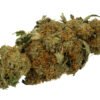
Use photos and descriptions as supporting evidence, not guarantees. A photo can confirm that you are looking at the right type of product. A description can show which details the store chose to provide. Neither one should fill in facts the page does not state.
Photos can make products look more similar or more different than the practical cart decision requires. Lighting, crop, packaging, and staging all influence perception. Descriptions can also be brief. If the page does not answer a detail, leave that detail unknown instead of inventing it.
Read the page like a checklist. If the image looks appealing but the selected size is wrong for your cart, the size matters. If the product name is familiar but the stock state or selected variation is unexpected, the current page state matters. If a deal appears elsewhere, check it only after the base product is clear.

The same habit helps when comparing formats. If you are not sure flower is the right category for the order, the existing GTA product format guide can help you compare flower with edibles and concentrates before you return to the flower menu.
Check stock, deals, and related products
Check stock, deals, and related products after you understand the base listing. Otherwise, a discount or suggested product can pull you away from the comparison you actually needed to make.
Stock comes first because an unavailable or mismatched option is not a real checkout choice. Then check whether the product has a current sale price, bundle fit, or related product that changes the cart. If value matters, open Deals separately and compare it against the product you already understood.
Related products are useful when they solve a clear decision problem. A related flower option may help you compare size or price. A related category may help if you realize convenience matters more than loose flower; in that case, pre-rolls may be a better format to compare.
- Confirm the flower product page.
- Confirm package size and selected variation.
- Calculate price per gram if another size is being compared.
- Check stock status.
- Check current deals or related products.
- Remove anything that does not match the order goal.
The discipline is in the last step. A stronger cart is not always a larger cart. A stronger cart is the one where every item has survived the comparison.
A simple flower comparison worksheet
Use the worksheet when two or three flower options are close enough that the decision is no longer obvious. It turns a fuzzy comparison into a short audit and makes the trade-offs visible.
The decision rule
Choose the option that best balances clarity, size, price, availability, and cart fit. Do not let one signal make the whole decision. Product name without size is incomplete. Price without package size is misleading. A photo without stock status is not enough. A deal without cart fit is just noise.
The best comparison usually feels calmer by the end. You know what you are buying, how much the package contains, what the live price means, and why the item belongs in the cart.
FAQs
What is the best way to compare cannabis flower online?
Open the product page first. Then compare package size, current price, price per gram, product details, photos, stock status, and cart fit. The product page gives the most complete live view before checkout.
Should I compare flower by price or package size first?
Compare package size first. Price only becomes useful once you know how much product the package contains. After that, use price per gram if two options have different sizes.
How do I calculate price per gram?
Divide the product price by the package size in grams. For example, $35 divided by 3.5g equals $10.00 per gram. Use current product-page prices when doing the real calculation.
Are product photos enough to choose flower?
No. Photos help with orientation, but they should be checked alongside size, price, stock status, variation, and product details. Do not assume details that are not shown on the page.
When should I check the Deals page?
Check Deals after you understand the product you are comparing. That way a deal supports the decision instead of distracting from size, price, and cart fit.
What if two flower products seem almost identical?
Use the worksheet: compare size, price per gram, stock, visible details, photo context, and whether each item fits the order goal. If the decision is still close, choose the option that keeps the cart simpler.
Before checkout, open the flower products you are considering and run the worksheet once. If a product still looks right after size, price, stock, details, and cart fit are clear, it has earned its spot in the cart.





Add comment
You must be logged in to post a comment.